
BYN Guide · Website Design
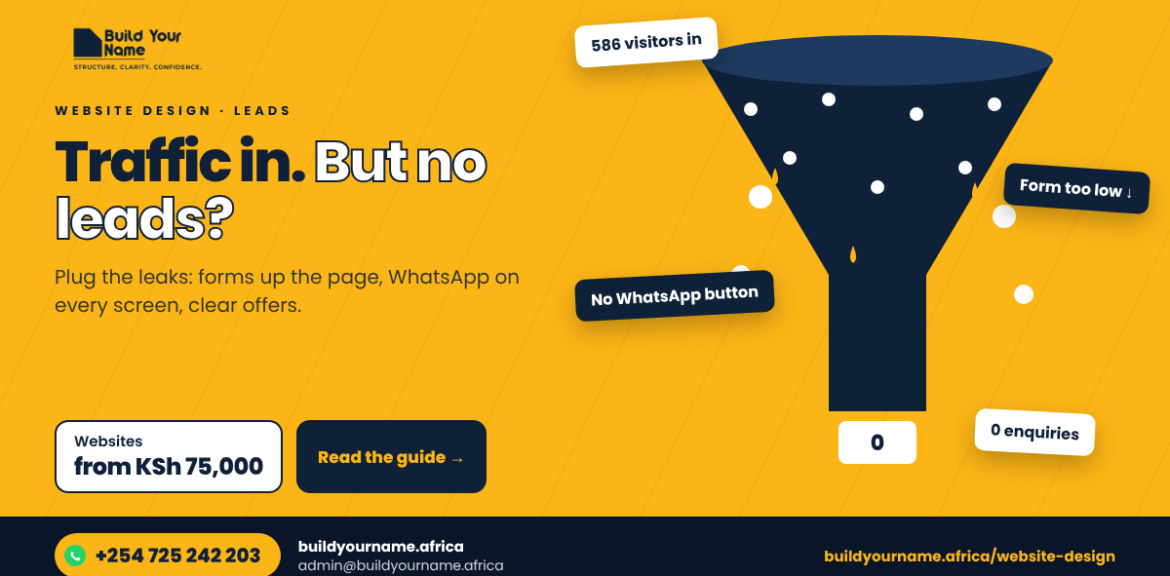
Many business owners in Kenya tell us the same thing: “People visit the website, but nobody contacts us.” Analytics shows hundreds of visitors, yet the inbox stays empty. The good news is that this is rarely a traffic problem. It is usually a handful of fixable issues between the moment someone lands and the moment they would have enquired. This guide helps you diagnose where your visitors drop off, then walks through the nine fixes we make most often, with a 20-point audit you can run on your own site today.
At a glance
8 min read
Focus: website leads Kenya
Kenya, East Africa, Ghana, Zambia, Zimbabwe
Related: Website Design
First, find where visitors drop off
A visitor has to pass through four gates before you get a lead. Each gate loses people. Your job is to find the leakiest one.
Land on the page1,000
Wait for it to load700
Understand the offer380
Find the form or WhatsApp120
Actually enquire6
Example only. Use GA4 engagement and scroll data on your own site to find your real drop-off points.| What you see in analytics | Likely cause | Fix in this guide |
|---|---|---|
| Most visits last under 10 seconds | Slow loading, unclear offer, or the wrong audience (for example bot or foreign traffic) | Fixes 1, 5 and 9 |
| People scroll but do not click | No clear next step, weak proof or no prices | Fixes 2, 6 and 7 |
| Form views but few submissions | Too many fields, errors on mobile, or no trust signals near the form | Fixes 3 and 6 |
| Submissions recorded but no emails received | Form notifications going to spam or a wrong address | Fixes 8 and 9 |
| Lots of traffic from the USA or Europe you do not serve | Bot traffic, or ads targeting “interest” instead of presence | Fix 9, plus our Google Ads guide |
1. Put the offer in the first screen
Visitors decide within seconds whether they are in the right place. Your top section must say what you do, for whom and where, with one clear button.
| Weak first screen | Strong first screen |
|---|---|
| “Welcome to Excellence Solutions Ltd. Your trusted partner.” | “Office cleaning for Nairobi businesses, from KSh 15,000 a month. Free site visit in 48 hours.” |
| A slider of stock photos rotating every 3 seconds | One real photo of your team at work, plus 3 short trust points |
| Five buttons: About, Services, Blog, Gallery, Contact | One main button: “Get a free quote”, and a WhatsApp button beside it |

2. Move the form up
On a phone, a form at the bottom of a long page can be 10 or more screen-lengths away. Place a short form or button in the first screen and repeat a call to action after every major section. On mobile, a sticky bar with “WhatsApp” and “Call” buttons keeps the next step always in reach.
3. Ask for less
Every extra field is a reason to give up. For a first enquiry, three fields are enough: name, WhatsApp number and “What do you need help with?”. Collect company size, budget and timelines on the follow-up call.
Watch outMake the phone field accept any format (07XX, +254 7XX, 254 7XX). Forms that reject a valid Kenyan number with an error are a silent lead killer.
4. Make WhatsApp one tap away
Many Kenyan customers prefer to chat before they fill in a form. The Communications Authority of Kenya found that 20.2% of online orders are placed on WhatsApp, against 12% on traditional websites (ITWeb Africa). Add a floating WhatsApp button with a pre-filled message such as “Hi, I’m on your website and would like a quote”, and track every tap as a conversion.

5. Fix speed on mobile data
Google’s research found that 53% of mobile visits are abandoned if a page takes longer than 3 seconds to load (Think with Google). Test your site at pagespeed.web.dev and on your own phone on mobile data, then work through this list:
Compress images and serve them as WebP. A 4 MB hero photo is the most common culprit.
Remove heavy sliders, autoplay videos and pop-ups from the first screen.
Use caching and a CDN such as Cloudflare.
Remove unused plugins and scripts, especially old tracking codes and chat widgets.
Choose quality hosting. Cheap shared hosting slows down at peak times.
6. Show real proof
Named testimonials with photos and the client’s company, not “John K., Nairobi”.
Client logos close to the form and the main button.
Short case studies with numbers: what the problem was, what you did, and the result.
Your Google rating and number of reviews, linked to your profile.
Remove placeholder or repeated testimonials. Visitors spot them, and they reduce trust.
7. Show prices or “from” prices
Kenyan buyers compare before they call. A “from KSh” price filters out people who cannot afford you and builds trust with those who can. If your work is fully custom, show typical project ranges or a sample package. Our website price guide is an example of how open pricing can still sell premium work.
8. Fix broken details
Dead links, a map pin on the wrong building, different phone numbers on different pages, conflicting opening hours, “Lorem ipsum” text and placeholder links all signal neglect. Check every button and link once a month, and make sure form notifications reach an inbox someone reads daily.
9. Track every enquiry and clean your data
- Set up GA4 events for form submissions, WhatsApp taps and phone taps, and mark them as key events.
- Filter or segment out obvious bot traffic, such as visits from data-centre towns with a few seconds of engagement.
- Tag every campaign link with UTM parameters so you know which channel brought each lead.
- Submit a test enquiry from your phone every month and check it arrives.
The 20-point website lead audit
Give yourself one point for each “yes”. Below 14 means your website is leaving clients on the table.
| Area | Check |
|---|---|
| Offer | Headline says what, who and where · One main call to action · Starting price visible · Clear service pages |
| Contact | Form in first screen · 3 to 4 fields · Sticky WhatsApp on mobile · Click-to-call number |
| Trust | Named testimonials · Client logos · Google rating shown · Real photos |
| Speed | Loads under 3 seconds on 4G · Images compressed · No pop-up on arrival · Works on small phones |
| Tracking | GA4 key events set · UTM tags on campaigns · Test enquiry arrives · Monthly link check |
3 fieldsis enough for a first enquiry
< 3 secload time to aim for on 4G
1 tapto start a WhatsApp chat
Monthlytest your own form
When to fix, and when to rebuild
If your site scores 10 or more and runs on WordPress, targeted fixes over two to four weeks usually work. If it scores under 10, is built on an outdated theme, or cannot be edited without a developer, a rebuild is often cheaper over a year. See our website design packages, and drive qualified visitors to the improved site with Google Ads.
Explore related BYN services
Website designConversion-focused WordPress sites from KSh 75,000.Explore →Google Ads managementSend ready-to-buy visitors to a page built to convert.Explore →Digital marketing servicesSEO and content that bring the right visitors.Explore →Website prices in Kenya, 2026What to budget if a rebuild makes more sense.Explore →
Frequently asked questions
Q1Why does my website get traffic but no leads?
Usually the offer is unclear, the form is hard to find or too long, the site is slow on mobile, or there is not enough proof to build trust. Sometimes the traffic itself is bots or people outside your market.
Q2How long should a contact form be?
Three fields is ideal for a first enquiry: name, phone or WhatsApp, and what they need. Ask for more detail on the follow-up call.
Q3How do I know if my contact form works?
Submit a test from your phone, then check your form entries and email inbox, including spam. Repeat this monthly and after every plugin update.
Q4Why is most of my website traffic from the USA?
If you mainly serve African customers, a large share of short US visits often comes from bots, crawlers or ads targeting people interested in a location rather than present in it. Check engagement time and city data in GA4.
Q5How quickly can these fixes increase enquiries?
First-screen, form and WhatsApp fixes can show results within days. Speed and trust improvements build over weeks, especially once you add reviews and case studies.
Get a free homepage check
Book a free 15-minute growth audit. We will look at your website, Google profile and social pages and show you three things to fix first. Chat with BYN on WhatsApp, call +254 725 242 203, or see the website design packages.